
Download Auto Dial – Fast New Tab Manager for Firefox
Overview
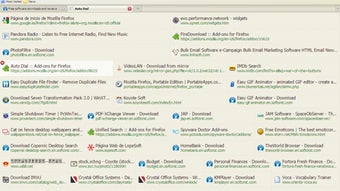
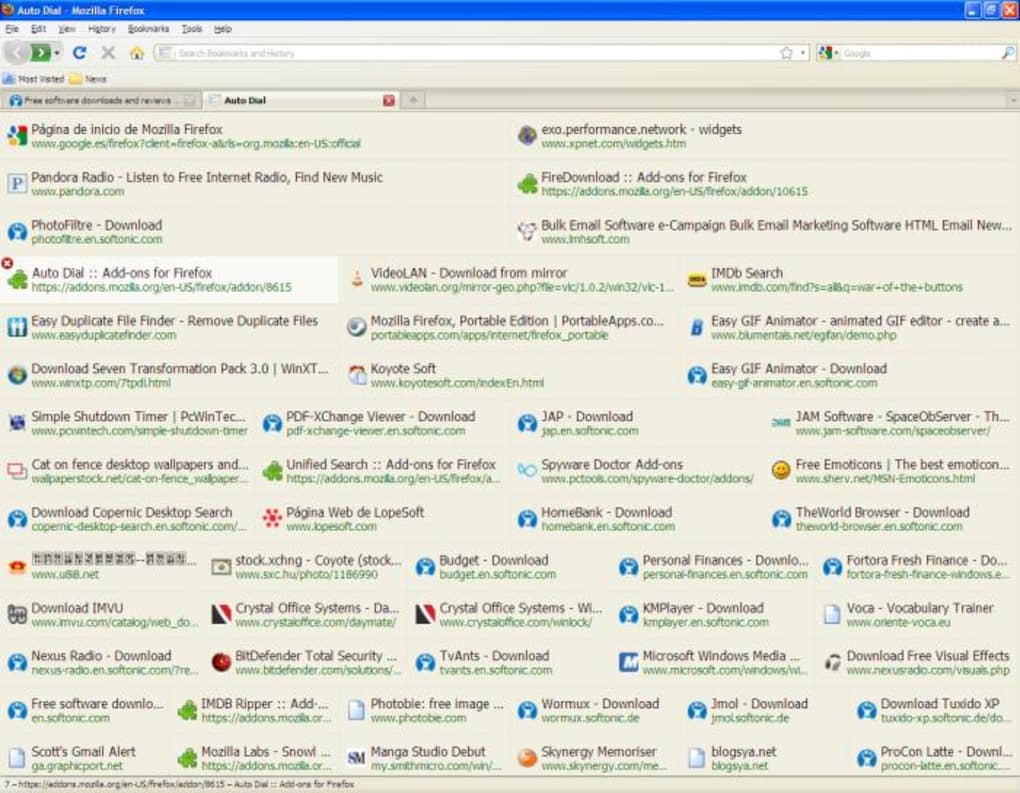
Auto Dial is a lightweight Firefox add‑on designed to transform the traditional new‑tab page into a visual shortcut hub for your most‑visited websites. Instead of a blank page or a generic search bar, Auto Dial instantly presents a grid of thumbnail‑linked sites that you can open with a single click. The extension captures your browsing habits, automatically surfacing the URLs you visit most often, and refreshes the list whenever you remove an entry.
While the concept is simple, the implementation aims to streamline daily navigation, especially for power users who constantly juggle dozens of tabs. The add‑on replaces the default new‑tab experience, meaning every time you press Ctrl+T you are greeted by a customized dashboard of your top pages. The interface is minimalistic—each thumbnail is accompanied by the page title, and a small red “×” button allows quick removal.
Despite its promise, Auto Dial currently lacks configuration options such as the ability to set the number of displayed links, choose specific sites, or customize the layout. Both left‑click and right‑click open the linked page in the current tab, which can be inconvenient for users accustomed to using the right mouse button for context menus. However, middle‑click does open the link in a new tab, enabling rapid multi‑link browsing.
In short, Auto Dial offers a clean, visual shortcut experience but falls short on flexibility, which may be a deal‑breaker for users seeking deeper personalization.
Key Features of Auto Dial
- Automatic display of your most visited websites on every new Firefox tab.
- Thumbnail previews for each site, providing a quick visual cue.
- One‑click navigation: left‑click or right‑click opens the link in the current tab.
- Middle‑click support opens the link in a new tab, facilitating multi‑link browsing.
- Dynamic replacement: removing a thumbnail instantly adds another top‑visited site.
- Zero‑configuration setup—simply install and start using the add‑on immediately.
- Lightweight codebase that does not noticeably affect browser performance.
- Secure handling of URLs; the extension does not collect personal data beyond local browsing history.
While the feature set appears modest, it targets a specific workflow: reducing the friction of opening frequently used sites. The visual layout eliminates the need to type URLs or search through bookmarks, which can be a time‑saver for professionals, students, and anyone who works with a set of core web tools. The automatic refresh mechanism ensures that the list stays relevant as your browsing habits evolve, without any manual intervention. However, the absence of customisation—such as adjusting the number of tiles, pinning favorite sites, or toggling thumbnail display—means that the extension may feel too static for power users. The design philosophy leans heavily toward simplicity and speed, making it an attractive option for users who prefer a “set‑and‑forget” approach to new‑tab navigation.
Installation, Setup, and Daily Usage
Installing Auto Dial is a straightforward process that can be completed in under a minute. First, open Firefox and navigate to the official Mozilla Add‑ons page. Search for “Auto Dial” and click the “Add to Firefox” button.
A permission prompt will appear, asking for access to your browsing history to generate the list of top sites. Grant the permission, and the add‑on will be downloaded and installed automatically. Once installed, the extension takes immediate control of the new‑tab page; there is no additional configuration step required.
Upon opening a new tab (Ctrl+T or clicking the plus icon), you will see a grid of thumbnail images representing your most visited pages. Each tile includes the site’s title beneath the image. To open a site, simply left‑click or right‑click the tile; both actions will load the page in the current tab. If you prefer to keep your current page open, use the middle mouse button to open the link in a new tab. This behaviour aligns with standard Firefox tab‑opening conventions, making the transition seamless.
Managing the list is equally intuitive. Each tile features a small red “×” in the top‑left corner. Clicking this icon removes the site from the grid, and Auto Dial automatically replaces it with the next most‑visited page from your history. This dynamic replacement ensures the dashboard never feels stale. While there are no settings menus to tweak, you can effectively “train” the add‑on by visiting the sites you want to appear more frequently; the algorithm will naturally prioritize them over less‑used pages.
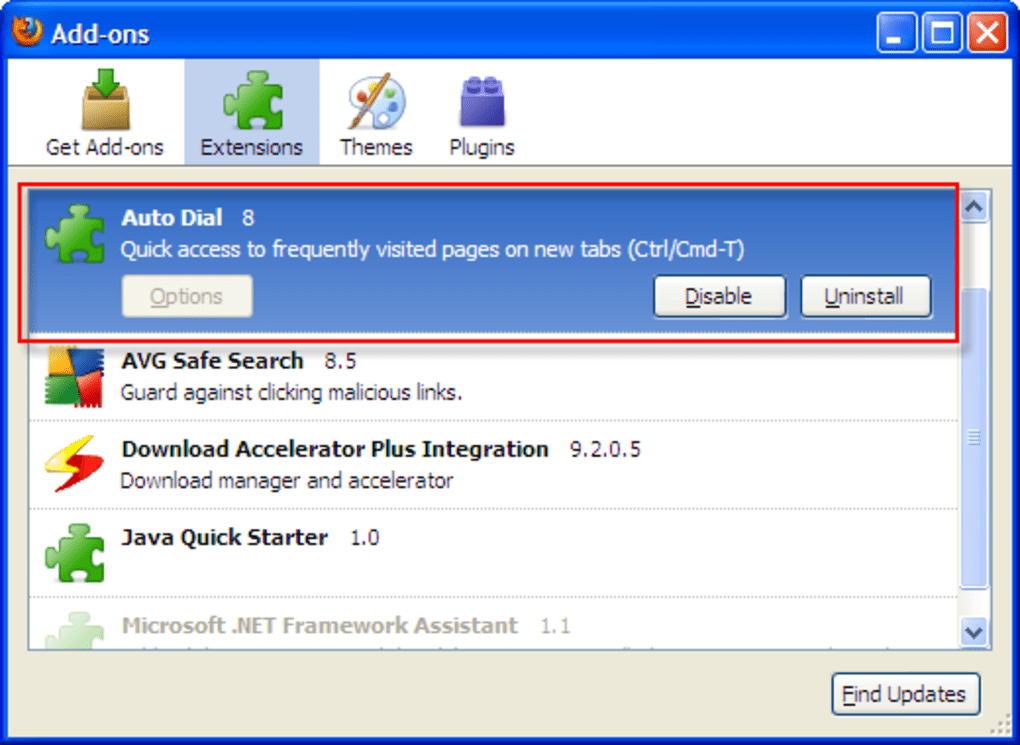
Should you ever wish to disable or remove Auto Dial, go to Firefox’s Add‑ons Manager (about:addons), locate Auto Dial, and click “Remove.” The default new‑tab behavior will be restored instantly. Because the extension does not store any personal data on external servers, uninstalling it also removes any locally cached information, ensuring privacy.
Compatibility, System Requirements, and Pros vs Cons
Auto Dial is built specifically for the Firefox browser and works across all major operating systems that support Firefox, including Windows 10/11, macOS (10.14 and later), and Linux distributions. Since it runs as a browser extension, it does not depend on the underlying OS beyond the Firefox runtime. The add‑on is compatible with the latest stable release of Firefox and receives updates through the Mozilla Add‑ons portal.
Pros
- Instant visual access: Thumbnail previews make it easy to identify sites at a glance.
- Zero‑configuration: Install and start using without any setup steps.
- Lightweight performance: Minimal impact on browser speed or memory usage.
- Dynamic updates: Automatically replaces removed links with the next top‑visited site.
- Secure handling: No external data collection; all processing occurs locally.
Cons
- Lacks customization options (cannot set tile count, pin favorites, or change layout).
- Both left‑click and right‑click open the link, which removes the traditional context‑menu functionality.
- Overrides the default new‑tab page, preventing a blank tab for users who prefer it.
- No built‑in search bar or quick‑type feature for less‑frequent sites.
- Relies solely on browsing history, which may not reflect bookmarks or manually typed URLs.
The balance of pros and cons makes Auto Dial a niche tool best suited for users who value speed and visual shortcuts over granular control. If you spend most of your day on a handful of sites—email, project management tools, news feeds—the extension can shave seconds off each navigation. However, if you enjoy tailoring your new‑tab environment or rely heavily on right‑click context menus, you may find the lack of options frustrating.
Frequently Asked Questions
Does Auto Dial collect any personal data?
No. Auto Dial processes your browsing history locally within Firefox to determine the most visited sites. It does not transmit data to external servers, and all information is stored only on your device.
Can I set a custom number of thumbnails on the new‑tab page?
Currently, Auto Dial does not offer an option to adjust the number of displayed links. The grid size is fixed based on the extension’s design.
Is there a way to pin my favorite websites so they never disappear?
Pinning is not supported in the present version. The list is automatically refreshed based on your browsing frequency, and manually removed tiles are replaced with the next most‑visited site.
What happens if I right‑click a thumbnail?
Both left‑click and right‑click open the linked page in the current tab. This behavior overrides the standard context‑menu that appears in most browsers, which some users find inconvenient.
Can I disable Auto Dial without uninstalling it?
Yes. Open Firefox’s Add‑ons Manager (about:addons), locate Auto Dial, and toggle the “Disable” switch. The default new‑tab page will be restored while keeping the extension installed for future use.
Conclusion – Should You Download Auto Dial?
Auto Dial delivers a clean, image‑driven new‑tab experience that can speed up everyday browsing for users who rely on a small set of frequently visited sites. Its biggest selling points are the zero‑configuration setup, lightweight performance, and automatic updating of the thumbnail grid. However, the lack of customization, the overriding of right‑click context menus, and the inability to pin favorite pages limit its appeal to power users who demand more control. If you value simplicity and visual shortcuts above all else, Auto Dial is a solid free add‑on worth trying. If you need granular settings or a traditional blank new‑tab page, you may want to explore alternative extensions.
Auto Dial provides an attractive visual gateway to your most‑used websites, but the absence of configuration options and the unconventional handling of right‑click actions diminish its overall usefulness. It is best suited for users seeking a quick, no‑frills way to access frequent sites without the need for extensive customization.







